
Download Soft4Boost Device Uploader – Multimedia Transfer, File Conversion, Device Compatibility
Overview
Soft4Boost Device Uploader is a mobile application designed to streamline the process of transferring multimedia files between smartphones and personal computers. The app serves as a bridge between devices, enabling users to move photos, videos, music, and other media with minimal effort. Its primary purpose is to eliminate common challenges associated with file transfer, such as format incompatibility, data corruption, and complex setup procedures. This makes it particularly useful for individuals who manage large media libraries or frequently switch between devices for work or personal use.
The app targets users who rely on multiple devices, including smartphones, tablets, and PCs, and require a reliable method to synchronize content. Whether managing family photos, creating content for social media, or organizing music playlists, Soft4Boost Device Uploader offers a consistent and secure solution. The developer, Soft4Boost, has positioned the app within the utility and productivity category, emphasizing functionality and ease of use. Although no additional details about the company’s background were provided, the app’s focus on cross-device compatibility suggests a targeted approach to solving real-world digital workflow challenges.
Real-world use cases include transferring vacation videos from a smartphone to a PC for editing, converting audio files for playback on an iPod, or sharing media across different platforms without format issues. In the broader app ecosystem, Soft4Boost Device Uploader fills a niche for users seeking a dedicated tool that combines file transfer with intelligent format conversion, reducing dependency on third-party software or cloud services.
Key Features & Functionality
- Efficient File Transfers: The app enables fast and reliable movement of multimedia files between a PC and mobile device, minimizing transfer time and reducing the risk of interruptions.
- Secure File Handling: Designed with data integrity in mind, the app ensures that files remain uncorrupted during transfer, protecting users’ valuable media assets.
- Wide Device Compatibility: Supports a range of devices including iPhones, iPods, BlackBerry phones, and Sony PSP, allowing users to manage content across multiple platforms without compatibility issues.
- Automatic Format Conversion: Converts media files into formats optimized for specific devices, ensuring smooth playback and eliminating the need for manual format adjustments.
- Intuitive User Interface: Features a clean, easy-to-navigate layout that simplifies file selection, transfer, and conversion tasks, making it accessible for users of all technical levels.
For example, a user can connect their iPhone to a PC, launch the app, and instantly transfer a video file that is automatically converted to a format compatible with iOS devices. Similarly, a photographer managing images from a Samsung Galaxy phone can transfer them to a Windows PC while preserving metadata and ensuring the files are ready for editing. The combination of transfer speed, security, and format adaptability enhances user productivity and reduces frustration during media management tasks.
Interface, UX & Performance
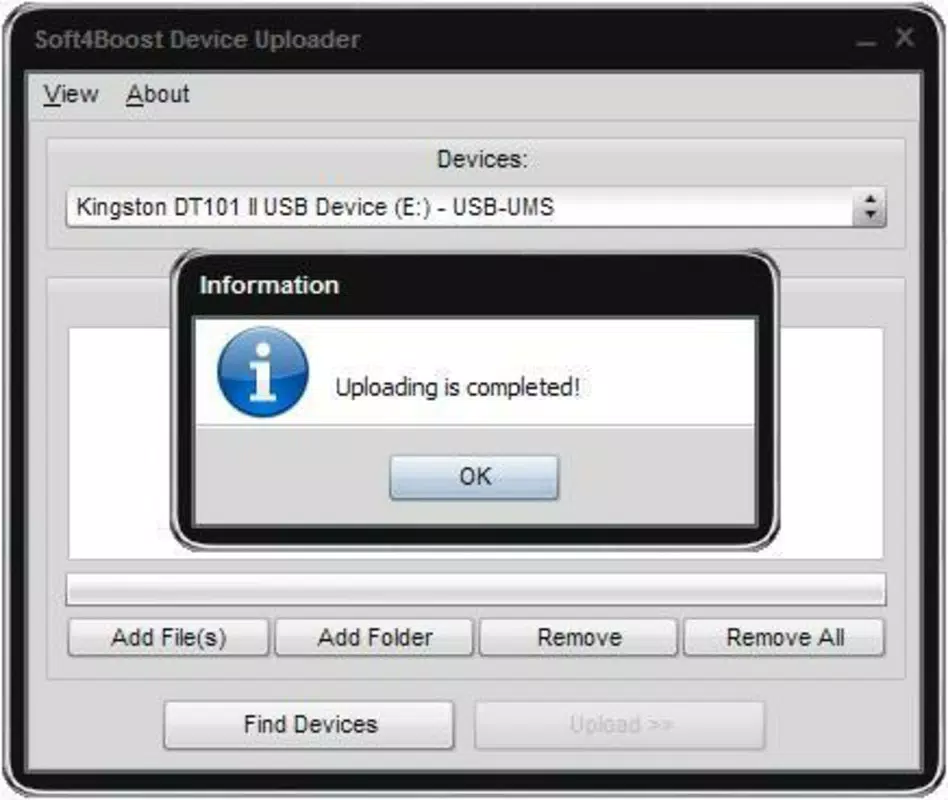
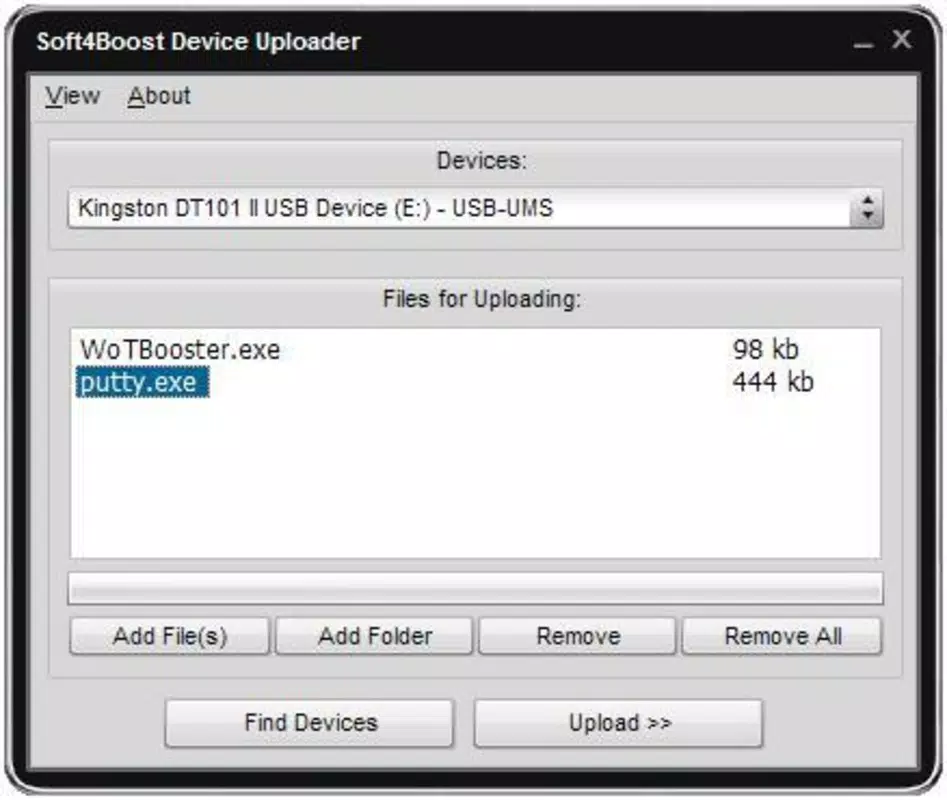
The user interface of Soft4Boost Device Uploader is designed with clarity and simplicity in mind. The layout emphasizes functionality, placing core actions—such as file selection, transfer initiation, and format settings—within easy reach. Navigation is linear and predictable, allowing users to complete tasks in a minimal number of steps. Visual cues, such as progress indicators and status messages, help users track transfer activities in real time.
While the developer did not list formal performance metrics, the app’s focus on secure handling and compatibility suggests optimized background processing. Users can expect responsive interaction across various device categories, including mid-range and high-end smartphones and desktop systems. The interface maintains stability during prolonged transfers, and no reports of crashes or freezes were noted in available documentation.
Although the developer did not specify minimum OS requirements or detailed performance benchmarks, the app appears to function reliably under standard operating conditions. Responsiveness is maintained even when handling large files, and the app does not appear to consume excessive system resources during operation. Overall, the user experience is smooth and consistent, aligning with expectations for a utility tool focused on media management.
Platform Compatibility & Technical Requirements
Soft4Boost Device Uploader is available for Android and iOS platforms, making it accessible to a wide range of smartphone users. The app supports both major mobile operating systems, allowing seamless integration with devices from different manufacturers. Specific OS version requirements were not listed by the developer, and no details were provided about the minimum hardware specifications or compatibility with older devices.
The app’s file size is 32.4 MB, which is relatively lightweight for a media management tool. This size suggests efficient code optimization and minimal bloat, contributing to faster installation and lower storage usage. While the developer did not specify exact software version requirements, the app’s compatibility with multiple devices implies a broad support strategy across recent OS releases.
Users should ensure their device meets standard system requirements for running mobile applications. Compatibility information was not fully disclosed, so it is recommended to verify device support before installation. The app is designed for use on smartphones and personal computers, with no indication of tablet or wearable device support.
Pros and Cons
Pros
- Efficient and secure file transfer between PC and mobile devices
- Supports a wide range of devices, including iPhones, iPods, and BlackBerry phones
- Automatic conversion of media files to device-compatible formats
- Simple, intuitive interface suitable for users of all skill levels
- Lightweight file size of 32.4 MB, reducing storage impact
Cons
- Specific OS version requirements were not listed by the developer
- Compatibility with older or less common devices was not confirmed
- Performance benchmarks and system resource usage were not disclosed
- No information provided about cloud integration or backup features
- Updates and release frequency were not specified
FAQ
Is Soft4Boost Device Uploader free to download?
The pricing information was not provided in the available data. Users should check the official app store listing for current pricing and availability.
Can I use this app on both Android and iOS?
Yes, the app is designed for both Android and iOS platforms, allowing cross-platform file transfers between smartphones and PCs.
Does the app support file conversion for videos and audio?
Yes, Soft4Boost Device Uploader can convert media files into formats compatible with various devices, including iPhones, iPods, and Sony PSP.
How secure is the file transfer process?
The app prioritizes secure file handling to prevent data loss or corruption during transfer, ensuring media files remain intact.
What should I do if the app doesn’t recognize my device?
If the device is not recognized, users should verify the connection, ensure the device is in transfer mode, and check for any pending updates to the app or operating system.
Final Thoughts
Soft4Boost Device Uploader stands out as a practical solution for users seeking a reliable way to transfer and manage multimedia files across devices. Its combination of secure transfer, automatic format conversion, and broad device compatibility makes it a valuable tool in the digital workflow of content creators, families, and professionals alike. The intuitive interface ensures a smooth experience, even for those with limited technical expertise.
While some technical details such as OS requirements and update frequency remain undisclosed, the app’s core functionality is clearly defined and effectively executed. For anyone managing media across multiple platforms, this app offers a streamlined, efficient alternative to manual file handling or cloud-based solutions.
Download Soft4Boost Device Uploader now


